| 일 | 월 | 화 | 수 | 목 | 금 | 토 |
|---|---|---|---|---|---|---|
| 1 | 2 | 3 | 4 | 5 | 6 | |
| 7 | 8 | 9 | 10 | 11 | 12 | 13 |
| 14 | 15 | 16 | 17 | 18 | 19 | 20 |
| 21 | 22 | 23 | 24 | 25 | 26 | 27 |
| 28 | 29 | 30 |
- 이미지 생성 자동화
- 나노바나나프로
- 룩북만들기
- 나노바나나2
- 왕홍체험 프롬프트
- AI이미지 생성
- 쇼핑몰AI활용
- 나노바나나pro
- 핀터감성
- 상세페이지 이미지 생성
- 프롬프트
- 카페포스터 만들기
- 제미나이 왕홍
- ai마케팅
- ai 프롬프트
- 제미나이 프롬프트
- 나노바나나2 프롬프트
- 왕홍필터
- AI모델착용샷
- 스마트스토어 이미지
- 이미지생성
- ai프롬프트
- 나노바나나 프로
- 나노바나나
- NANOBANANA PRO
- AI이미지생성
- 제미나이
- NanoBananaPro
- 나노바나나 프롬프트
- 구글이미지생성
- Today
- Total
리아의 AI 연구소
돌고돌아 Y2K 디카 감성, 나노바나나2 프롬프트 공유 본문

요즘 핀터레스트나 인스타 보면 디카 감성 사진 진짜 많이 보이지 않나요?
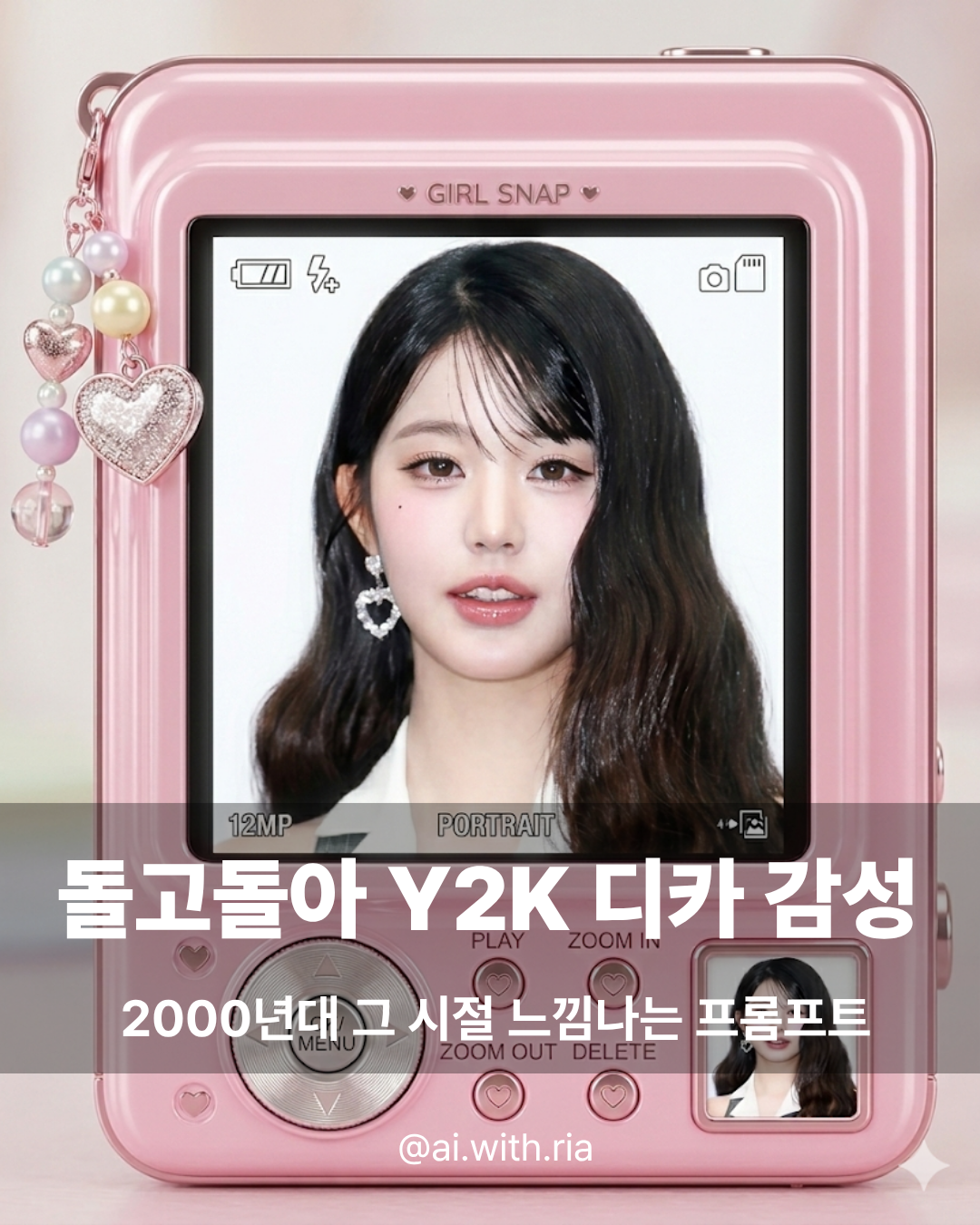
2000년대 초반에 다들 들고 다니던 그 은색 컴팩트 카메라, 소니 사이버샷이나 캐논 익서스 같은 LCD 화면에 뜨는 뿌옇고 따뜻한 사진 느낌이 요즘 다시 돌아왔더라고요. 희안하게 스마트폰 카메라 스펙은 점점 고사양이 되어가는데 옛날에 디카 감성이 또 돌고 돌아서 유행이 된다는게 재밌는 것 같아요. 약간 뭉게진 듯한 뿌연 느낌과 디카 특유의 색감이 그 때 당시에는 촌스럽다고 생각했는데 나중에 시간이 흘러서 보니까 너무 예쁘더라구요? 저만 좋은지는 모르겠지만! 이젠 20년전이 되어버린 그때 그 감성, 한번 프롬프트로 가져왔습니다!
저도 제 사진으로 디카느낌 나는 필터 써서 나노바나나2 돌려봤는데...! 결과물이 생각보다 너무 잘 나와서 바로 공유하러 왔습니다.
프롬프트 두 가지 준비했어요. 하나는 핑크색 카와이 디카 버전, 하나는 실버 레트로 디카 버전이에요!
프롬프트 1: 핑크색 Y2K 디카
이건 공주들의 꾸꾸 감성의 프롬프트예요. 파스텔 핑크 바디에 비즈 참 장식까지 달린 귀여운 디카 뒷면이 나오는데, LCD 화면 안에 내 사진이 자연스럽게 들어가요. 당연히 내가 넣은 사진 화질 그대로 들어가는게 아니라 디카 특유의 화면 처리가 되어서 들어갑니다.
Use the uploaded photo as the image displayed on the main LCD screen of a cute retro compact digital camera, and keep the person fully recognizable.
Create a photorealistic 9:16 vertical close-up of the back of a kawaii early-2000s compact digital camera filling almost the entire frame.
The camera body is pastel pink with glossy plastic texture, soft metallic details, rounded edges, cute decorative beads and charms along the top, tiny heart details, and a playful girly Y2K aesthetic.
Show the full back design of the camera: a large central LCD screen, silver navigation dial, small round buttons, tiny decorative interface details, and a miniature thumbnail preview in the bottom-right corner.
Inside the large LCD screen, display the uploaded portrait photo naturally as if it is being previewed on the camera.
Keep the person's face, hair, expression, and identity recognizable.
The uploaded image should fit naturally inside the screen area only, with a realistic digicam display feel.
Add realistic camera screen UI overlays without any grid lines:
- small camera icons at the top
- tiny setting boxes near the bottom of the screen
- subtle screen pixel texture
- slight softness, brightness, and realistic LCD display glow
- clean uncluttered preview screen
Style and mood:
cute, girly, glossy, soft pink, retro digital camera aesthetic, nostalgic Y2K, polished but realistic product-photo look, playful tech accessory vibe, Pinterest-style composition.
Important:
- do not add grid lines on the LCD screen
- do not place the person outside the LCD screen
- do not change the uploaded person's identity
- do not dramatically alter the uploaded image content
- do not add hands holding the camera
- keep the camera centered and dominant in the frame
- keep the result vertical 9:16
- make the camera look real, detailed, and aesthetically designed
- include a tiny thumbnail version of the uploaded photo in the lower corner of the camera body
- do not add messy clutter outside the camera
- no watermark, no fake random text, no broken geometry, no distorted buttons
The final result should look like a real adorable pink retro digicam interface with my uploaded photo displayed on the screen, with a clean LCD preview and no grid overlay.
사용 방법
제미나이에 본인 사진을 업로드하고, 이미지 생성 버튼 누르고 사고모드나 프로모드로 바꾼 후에 위 프롬프트를 그대로 붙여넣기 하면 돼요. 사진은 얼굴이 잘 보이는 정면 사진이 제일 잘 나옵니다. 비율 바꾸고 싶은 분은 9:16 이 부분을 1:1, 4:5 등등 원하시는 비율로 바꿔서 쓰시면 됩니다!

프롬프트 2: 실버 레트로 디카
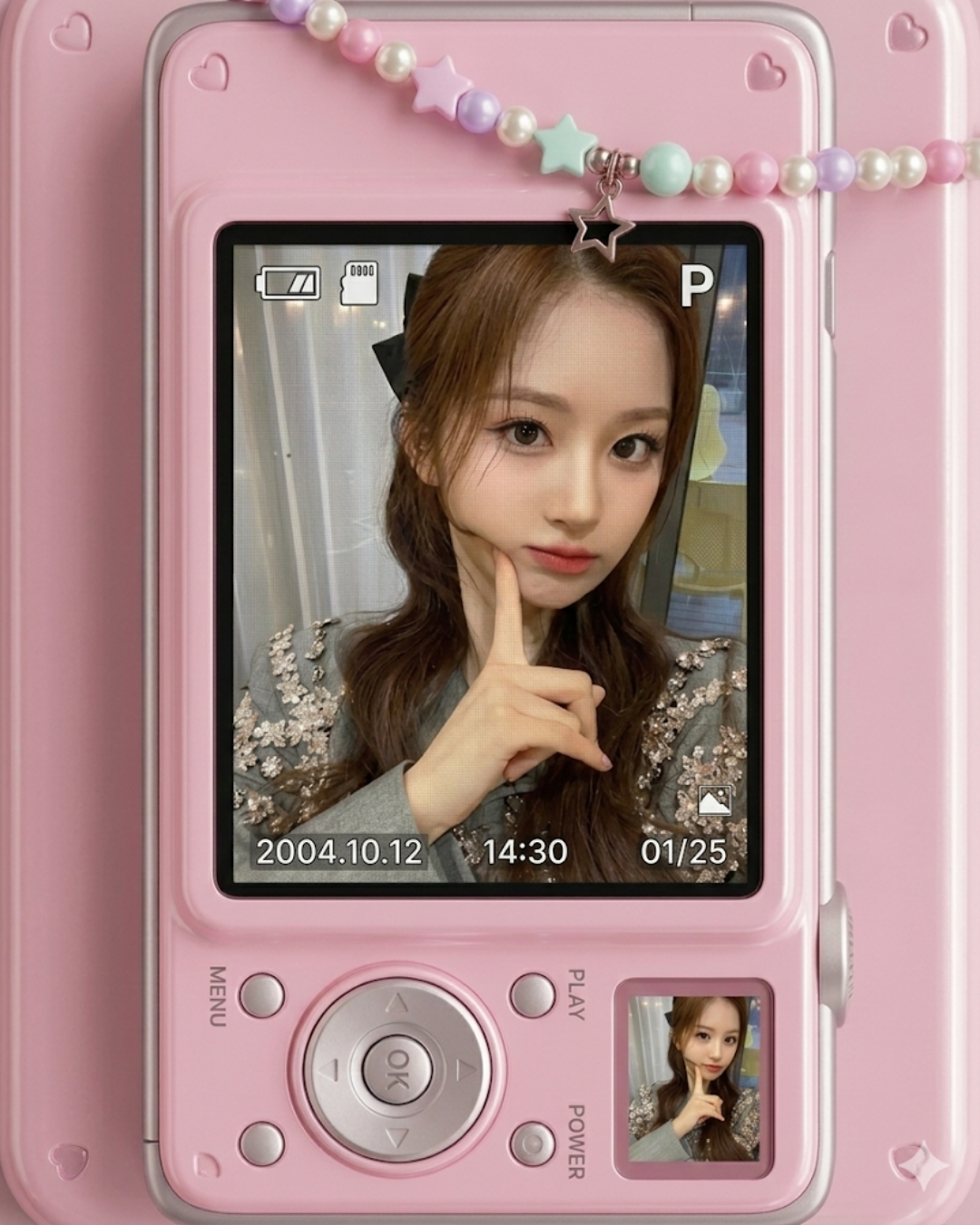
이번엔 좀 더 미니멀하고 깔끔한 느낌이에요. 실버 바디의 진짜 2000년대 디카를 위에서 내려다보는 플랫레이 구도인데, 배경 색이 매번 랜덤으로 바뀌어서 한 장 한 장이 다 달라요. (극강의 효율추구자인 저는,,, 매번 사진 배경 색을 랜덤하게 나오게 하고 싶어서 이렇게 했는데 만약에 색은 고정으로 하고 싶으시면 그 부분은 수정해서 사용하세요!)
Use the uploaded photo as the image shown on the LCD screen of the camera, and keep the person in the screen fully recognizable.
Create a clean photorealistic 4:5 vertical flat-lay product shot of a small early-2000s silver compact digital camera.
The camera is viewed straight from the back, centered in the frame, with the full body of the camera clearly visible.
Place the camera on a plain solid-color background that changes randomly in each generation.
The background should be a soft, aesthetic, minimal color chosen at random each time, such as creamy beige, warm ivory, pale pink, powder blue, soft mint, light gray, butter yellow, muted lavender, or other calm pastel tones.
Keep the background clean, uncluttered, and minimal.
On the camera's LCD screen, display the uploaded portrait photo naturally, as if it is being previewed on the camera.
Keep the person's face, hair, expression, and identity inside the screen recognizable.
The LCD image should look like a real camera playback screen: slightly soft, bright, subtle digital-camera display feel, naturally fitted inside the screen area.
Style and mood:
minimal, clean, soft neutral lighting, nostalgic Y2K digicam mood, realistic silver plastic texture, tiny shadows under the camera, gentle natural reflections, simple aesthetic composition, cute retro tech feeling.
Important:
do not place the person outside the screen,
do not change the uploaded person's identity,
do not dramatically alter the uploaded image content,
do not add hands holding the camera,
do not add extra props unless requested,
do not add fake text, watermark, stickers, or distorted buttons,
keep the camera centered,
keep the background as a single plain color,
make each result vary the background color naturally.
The final image should look like a real aesthetic product photo of a retro compact digital camera with my uploaded photo displayed on its screen.

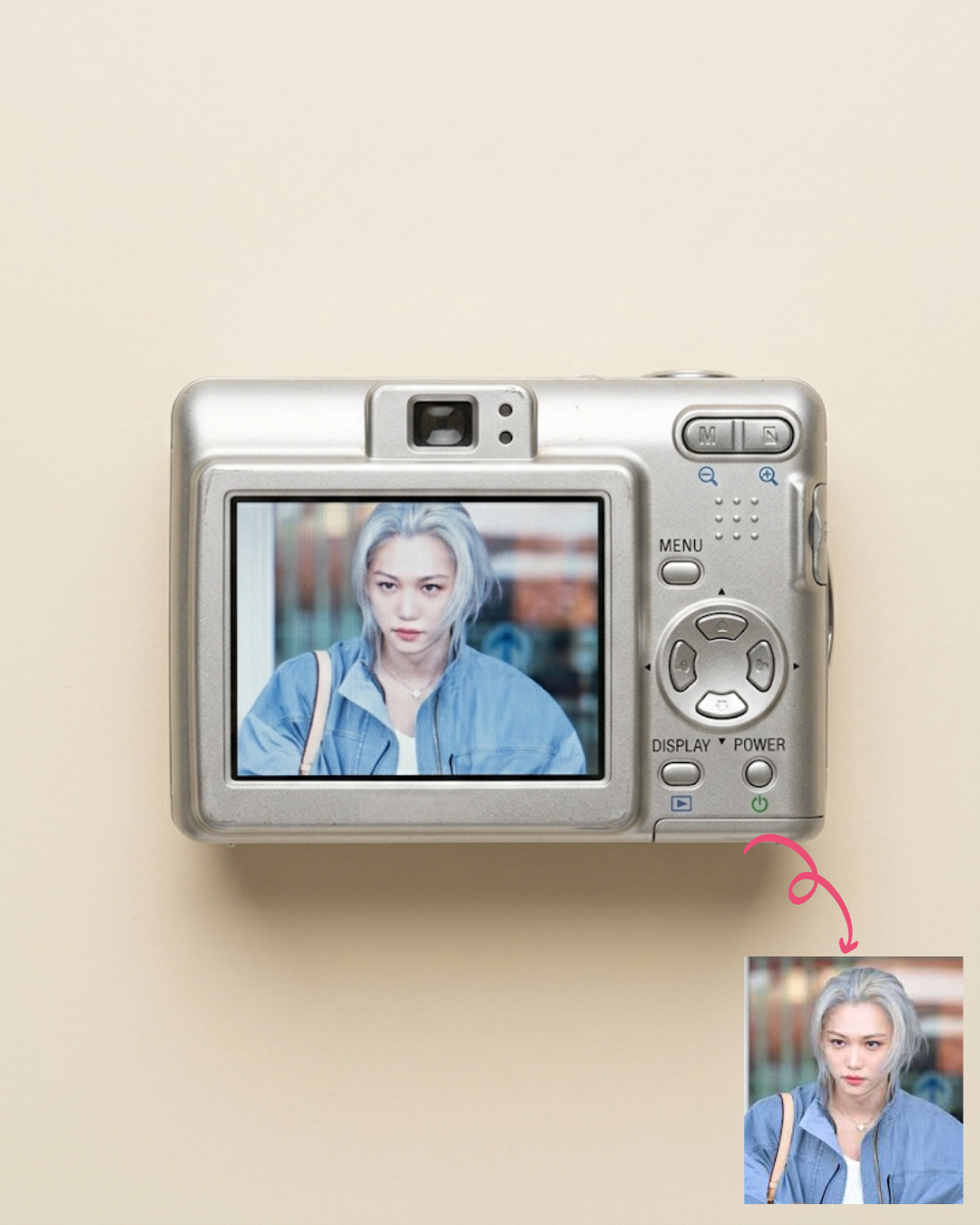

이 프롬프트의 포인트
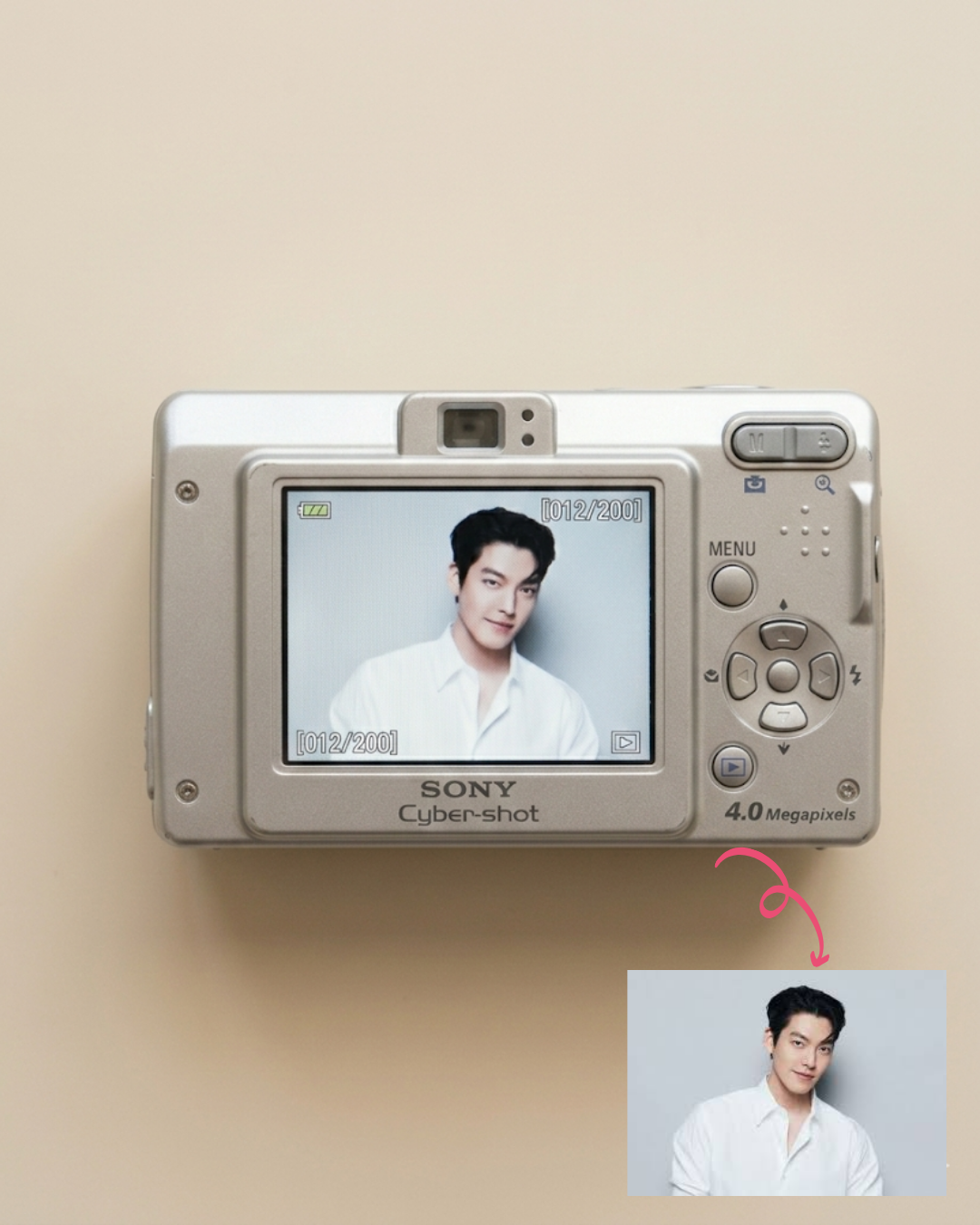
이 프롬프트는 배경 색이 "randomly" 바뀌게 설정해 둔 게 핵심이에요. 같은 사진으로 여러 번 돌려도 배경이 베이지, 민트, 라벤더 등으로 계속 달라지거든요. 그래서 마음에 드는 색 나올 때까지 돌리는 재미가 있어요.
그리고 플랫레이 구도라서 카메라 전체가 다 보이고, 밑에 살짝 그림자가 지는 것도 포인트예요. 진짜 제품 사진 찍은 것 같은 느낌이 나서 개인적으로 이 버전이 더 좋아요. 좀 더 깔끔해서 뭔가 프로필 사진 스튜디오 가서 찍고 남기는 인증샷 느낌? 이랄까 구도가 그런 구도 입니다.
두 프롬프트 비교
핑크 디카 프롬프트는 꾸미기 좋아하는 분들한테 추천드려요. 비즈 장식이랑 하트 디테일이 들어가서 인스타 감성 딱이고, 세로 비율이라 릴스 커버나 스토리로 활용하기 좋습니다.
실버 디카 프롬프트는 좀 더 깔끔하고 레트로한 느낌을 원하시는 분들한테 추천이에요. 미니멀한 구도에 배경 색도 매번 달라지니까, 여러 장 뽑아서 시리즈로 올리기도 좋고요.
저는 두 개 다 써보고 취향에 따라 골라 쓰는 중인데, 의외로 남자분들 사진은 실버 버전이 더 잘 어울리더라고요.
잘 나오게 하는 팁
첫 번째로, 원본 사진이 중요해요. 얼굴이 선명하게 나온 정면 사진이 제일 결과가 좋고, 너무 어둡거나 흔들린 사진은 LCD 화면 안에서도 뭉개져 보여요.
두 번째, 한 번에 마음에 드는 결과가 안 나올 수 있어요. 같은 프롬프트로 2~3번 돌려보면 카메라 디자인이나 UI 배치가 조금씩 달라지거든요. 마음에 드는 버전이 나올 때까지 돌려보는 게 포인트예요. (디자인도 조금씩 다르니까 원하는 레퍼런스가 있으신 분들은 같이 첨부해주세요)
마무리
요즘 Y2K 감성이 다시 유행하면서 디카 느낌 사진 수요가 진짜 많은 것 같아요. 이 프롬프트 하나면 포토샵 없이도 1분 만에 디카 감성 사진을 만들 수 있으니까, 한번 해보시고 결과물 공유해주세요! 프롬프트 관련해서 궁금한 점 있으시면 인스타DM 이나 댓글로 편하게 질문 주세요. 다음에도 재밌는 프롬프트 들고 올게요!
'맛도리 프롬프트 저장소' 카테고리의 다른 글
| 우리집 주인님 사진으로 패션 화보 찍는 법 (0) | 2026.03.12 |
|---|---|
| 나노바나나 프로로 1분도 안 걸리는 메탈 재질 포스터 만들기 (0) | 2026.03.09 |
| 1초만에 핀터레스트 여신 되는 법 (feat. 나노바나나2) (0) | 2026.03.06 |
| AI로 만드는 미감 좋은 브랜드 포스터, 나노 바나나 2 프롬프트 (0) | 2026.03.03 |
| 블로거들 주목! 유료 어플 필요 없는 몽글몽글 버터 필터 프롬프트 공유 (0) | 2026.03.02 |


